Smart TVs
The full Klaro layout on the biggest screen in the house, driven entirely by your remote.
Devices
The big one in the living room, the one in your pocket and everything in between. Klaro looks and behaves the same on all of them.
One player, six kinds of screen
Klaro is rolling out screen by screen. Join the waitlist and we will tell you when yours is ready.
The full Klaro layout on the biggest screen in the house, driven entirely by your remote.
Plug in, pair with a short code and watch. The same player as on a smart TV.
Live TV in your pocket, with the picture on top and your channels right under your thumb.
Room for the channel list and the guide next to the picture, in either orientation.
Open a browser tab and carry on where you stopped. Nothing to install.
A proper window for the desk, with a keyboard and mouse or trackpad.
Adding a screen
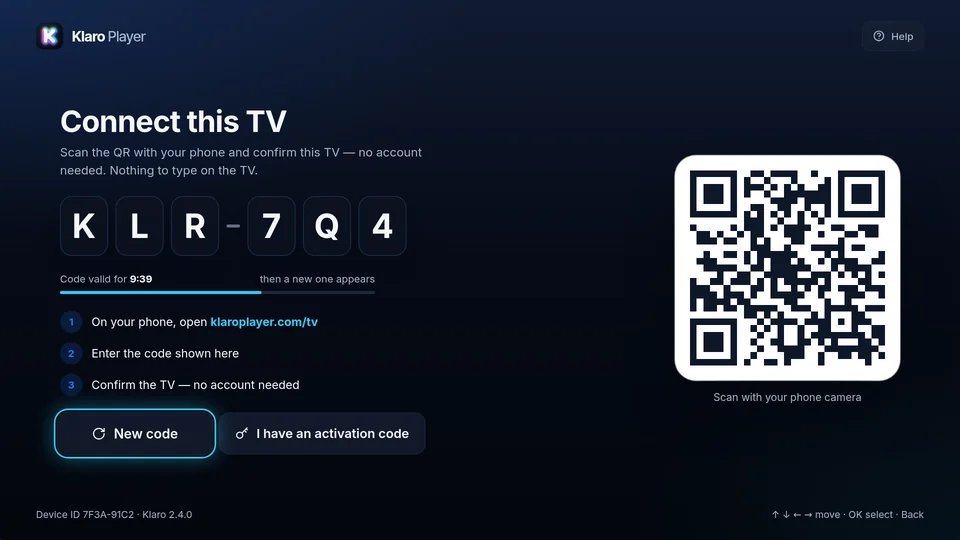
Open Klaro on the new screen and it shows a QR and a six-character code. Scan it or type it in, and the source you choose arrives on its own.
Connect a TV
Klaro is launching soon. Leave your email and we will tell you the day it is ready for your TV, phone and everything in between.
One email when Klaro is ready. Nothing else.